
Cricfy TV for PC (Windows 10, 11 and Mac): Does It Work in 2026?
Thousands of people search for Cricfy TV for PC, Windows or laptop every month. Here is the honest answer: what those PC guides really do, the risks of emulators and fake installers, and the simple, legal way to watch live cricket on any computer.
Quick answer
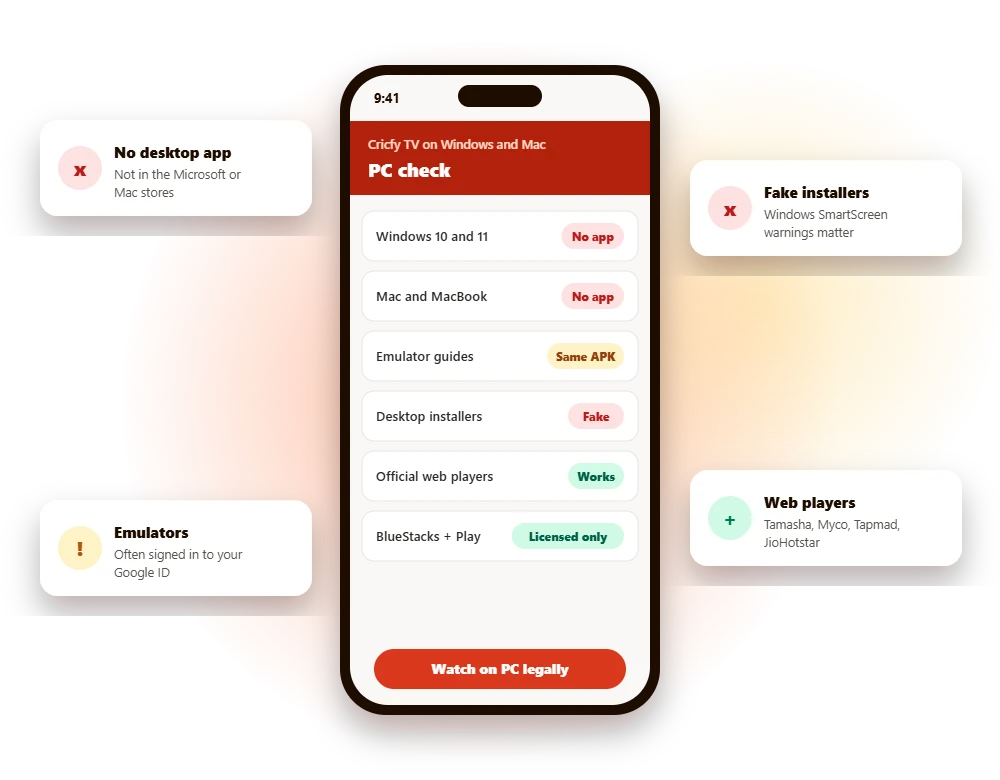
- There is no Cricfy TV for PC. No official app exists for Windows 10, Windows 11, Mac or Linux.
- “Cricfy TV for PC” guides run the same unverified Android APK inside an emulator such as BlueStacks.
- That adds risk: emulators are often signed in to your Google account, and fake desktop installers spread malware.
- The easy legal option: open an official web player such as Tamasha, Myco, Tapmad or JioHotstar in your browser.
Is there a Cricfy TV app for PC?
No. Cricfy TV for PC does not exist as an official product. There is no Windows app in the Microsoft Store, no Mac app, and no verified download from any developer. Cricfy TV is an Android-only APK distributed through third-party websites, and every “PC version” you see online is a workaround built around that same file.
| Platform | Official Cricfy TV app? | Safer alternative |
|---|---|---|
| Windows 10 and 11 | No | Official web player in Chrome or Edge |
| Mac and MacBook | No | Official web player in Safari or Chrome |
| Chromebook | No | Web player, or licensed apps from Google Play |
| Linux | No | Web player in a modern browser |
Why there is no Cricfy TV PC version
Official desktop apps are published through stores such as the Microsoft Store and the Mac App Store, or signed by a named developer. That requires a real company, a verified identity and, for streaming apps, the rights to the content. Cricfy TV has none of these. It re-streams channels without a licence, so it cannot pass store review, and its developers stay anonymous. A desktop version would simply give more people a way to see that. Read more in Is Cricfy TV legal?
What “Cricfy TV for PC” guides really do
Almost every Cricfy PC guide follows the same pattern: install an Android emulator such as BlueStacks, LDPlayer, MEmu or Nox, then load the Cricfy APK inside it. The emulator is a legitimate tool. The problem is the file you put into it.
| Risk | Why it matters on a PC |
|---|---|
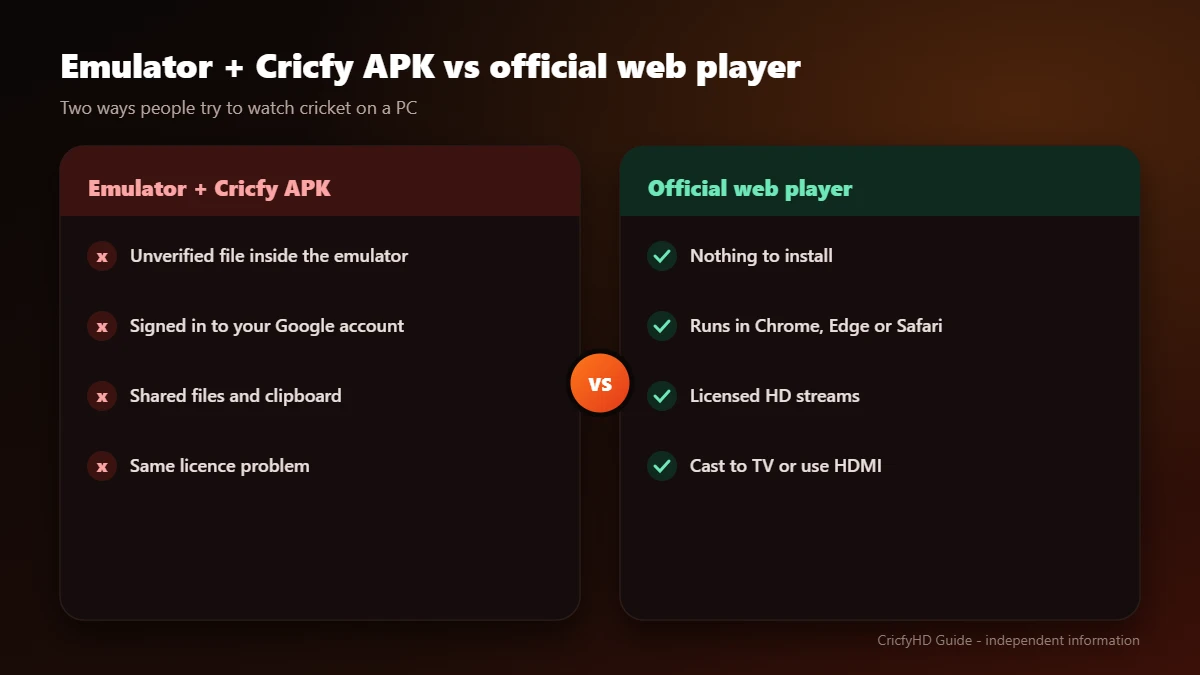
| Unverified APK | The same file Google Play Protect removes from Android TVs, with no store review or known developer. |
| Your Google account | Emulators usually ask you to sign in to Google. A harmful app inside can reach that session. |
| Shared files and clipboard | Many emulators share folders and clipboard data with Windows, which widens what an app can touch. |
| Download-page malware | APK sites push extra downloads, browser notifications and fake “player updates” to desktop users too. |
| Same legal issue | Running the app on a PC does not change the fact that the streams are unlicensed. |
Fake Cricfy TV desktop installers: how to spot them
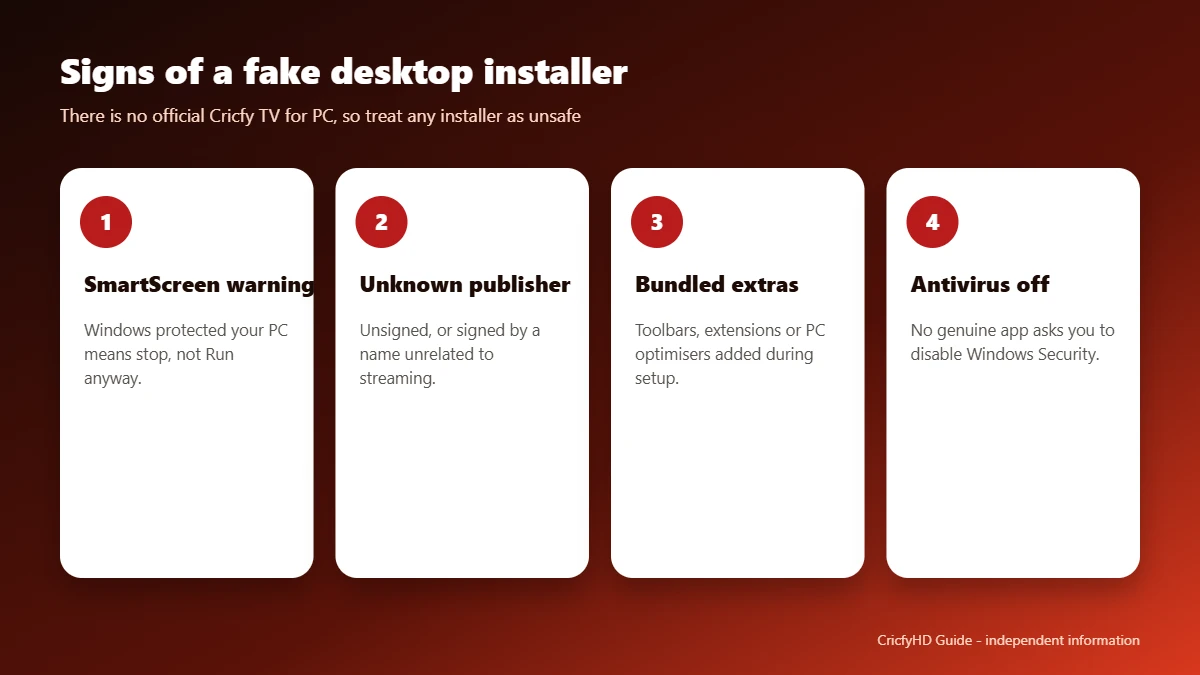
Some sites go further and offer a Windows “installer” or “setup” file for Cricfy TV. Since no official desktop app exists, these files can only come from unknown sources. Treat them as unsafe.
- Windows SmartScreen warns you. A message that Windows protected your PC from an unrecognised app is a reason to stop, not to click “Run anyway”.
- Unknown publisher. The installer is unsigned or signed by a name that has nothing to do with streaming.
- Bundled extras. The setup tries to add browser extensions, toolbars, “PC optimisers” or other programs.
- Password-protected archives. Zipped files with a password are a common trick to slip past antivirus scans.
- Requests to disable antivirus. No genuine app asks you to switch off Windows Security.
Already ran one? Disconnect from the internet, run a full Microsoft Defender scan, remove any programs or browser extensions you do not recognise, and change the passwords you use on that computer from a different, clean device.
Cricfy TV on Mac and MacBook
There is no Cricfy TV for macOS. Mac guides use the same emulator approach as Windows guides, with the same risks. Apple’s Gatekeeper will also warn you about software from unidentified developers. The good news is that official cricket web players work in Safari and Chrome on any Mac, with no installation at all.
How to watch cricket on PC legally: step by step
If you came here looking for installation steps, these are the ones that work, stay working and keep your computer safe. Choose method A for the fastest start, or method B if you prefer an app-like experience.
Method A: official web player (recommended)
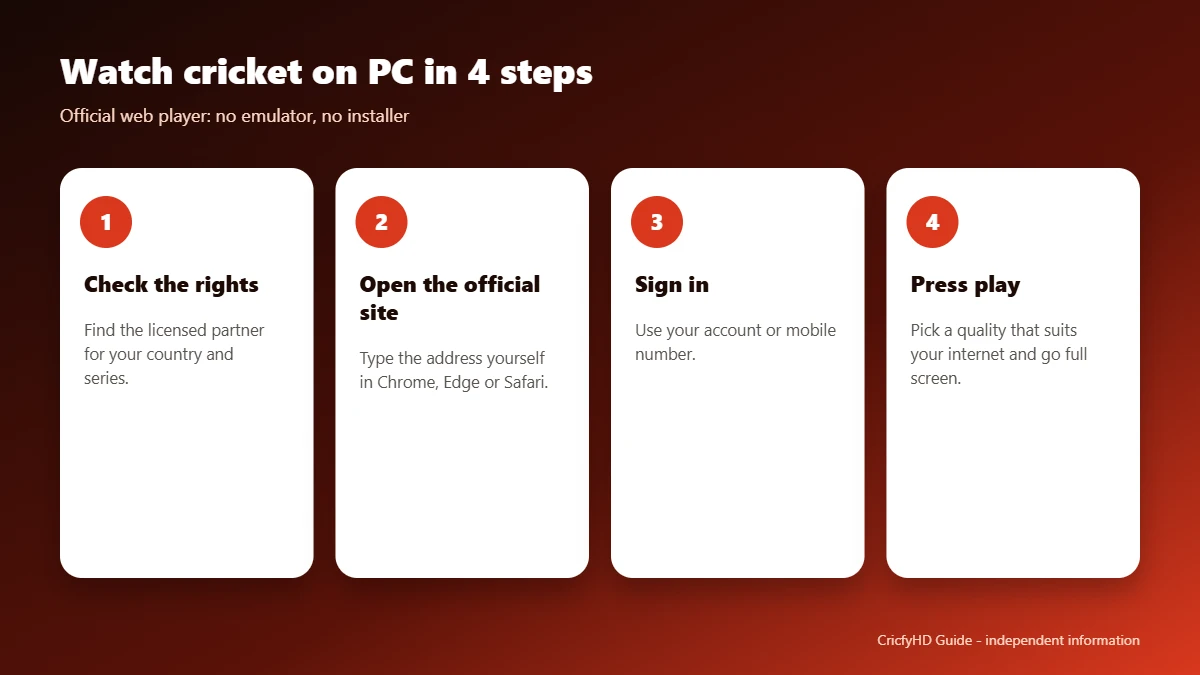
- Check who has the rights. Find the licensed streaming partner for your country and series. Our Cricfy TV alternatives page lists them.
- Open the official website in Chrome, Edge, Firefox or Safari. Type the address yourself rather than clicking ads.
- Sign in or create an account. Some services verify with your mobile number.
- Choose a free tier or plan if the match requires one.
- Press play and go full screen. Use the quality setting to match your internet speed.
Method B: licensed Android apps in an emulator
- Download the emulator only from its official website, for example BlueStacks.
- Open Google Play inside the emulator and sign in.
- Search for the licensed app such as Tamasha, Myco, Tapmad or JioHotstar, and check that the developer name is correct.
- Install it from Google Play, never from an APK website.
- Keep Play Protect on inside the emulator and update apps through Google Play.
Open a licensed web player on your PC
Official cricket web players compared
| Service | Main country | Works on PC | Official link |
|---|---|---|---|
| Tamasha | Pakistan | Web player | tamashaweb.com |
| Myco | Pakistan | Web player | myco.io |
| Tapmad | Pakistan | Web player | tapmad.com |
| JioHotstar | India | Web player | hotstar.com |
| Toffee | Bangladesh | Mobile, web and TV (in Bangladesh) | Search “Toffee” in your browser or app store |
For PSL 11 in 2026, the official web versions of Tapmad, Tamasha, Myco and BigBaat streamed matches on desktop. Rights change by series, so check before each tournament.
From laptop to TV
- HDMI cable: connect your laptop to the TV and play the official web player full screen.
- Casting from Chrome: if your TV supports Chromecast, use Chrome’s Cast option on the web player tab.
- TV apps: many licensed services also offer smart TV apps. See our all-devices guide.
Using an iPhone too? Read Cricfy TV for iPhone (iOS). Want to understand the risks of the app itself? See Is Cricfy TV safe? and our download guide.
Frequently asked questions
Is Cricfy TV available for Windows 10 or Windows 11?
No. There is no official Cricfy TV app for Windows 10, Windows 11 or any other desktop system. Guides with that title run the Android APK inside an emulator.
Can I use BlueStacks to run Cricfy TV on my laptop?
An emulator can technically run Android files, but it does not make an unverified APK safe or licensed. Use BlueStacks only to install licensed apps from Google Play, such as Tamasha, Myco, Tapmad or JioHotstar.
Is there Cricfy TV for Mac or MacBook?
No. There is no macOS version, and Mac emulator guides carry the same risks as Windows ones. Official web players work in Safari and Chrome on a Mac.
Is a downloadable Cricfy TV installer for PC safe?
No. There is no official desktop installer, so any program offered as one comes from an unknown source. If Windows warns that it protected your PC from an unrecognised app, do not run it.
How can I watch PSL or Pakistan matches on a laptop for free?
For PSL 11, the official web versions of Tapmad, Tamasha, Myco and BigBaat streamed matches on desktop, some of them free with ads. Check each season’s official streaming partners.
What is the easiest way to watch cricket on a PC?
Open the licensed service’s official website in Chrome, Edge or Safari, sign in and press play. No emulator or extra software is needed.