
Cricfy TV for iPhone, PC and Smart TV: What Works and What to Avoid
Searches for Cricfy TV on iOS, Windows and smart TVs are rising, and so are fake download pages. Here is the honest answer for every device, the risks behind “for PC” and “for iPhone” guides, and the legal way to get cricket on a bigger screen.
Cricfy TV device support at a glance
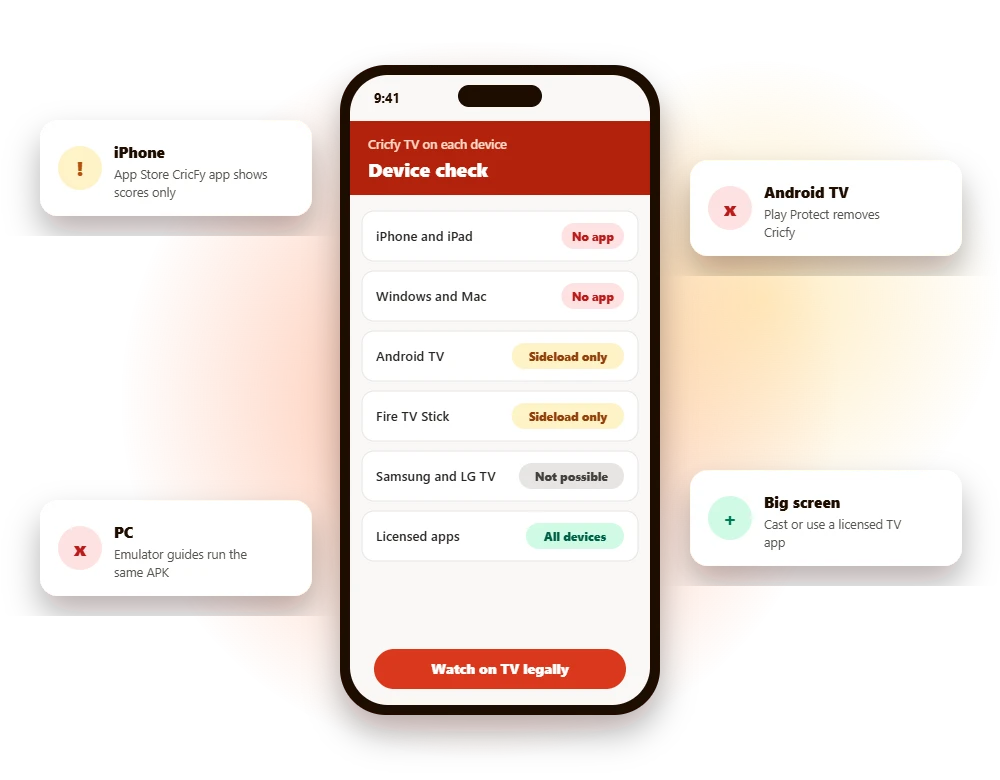
Cricfy TV is an Android-only APK. It is not published in any official app store, so every non-Android “version” you see online is either a workaround or something else using the name.
| Device | Official Cricfy streaming app? | What you will actually find | Risk |
|---|---|---|---|
| iPhone and iPad | No | A score app named CricFy TV, and fake “iOS download” pages | Medium |
| Windows and Mac | No | Emulator guides that run the Android APK | High |
| Android TV and Google TV | No | Sideloaded APK, often removed by Play Protect | High |
| Fire TV Stick | No | Sideloading through downloader apps | High |
| Samsung and LG TVs | No | Cannot run APK files at all | Not possible |
Cricfy TV for PC
Windows 10, 11, Mac and laptops: emulator risks, fake installers and legal web players.
Read the PC guide →Full guideCricfy TV for iPhone (iOS)
The App Store score app, fake iOS methods, removing profiles and licensed iPhone apps.
Read the iOS guide →Cricfy TV on iPhone and iPad
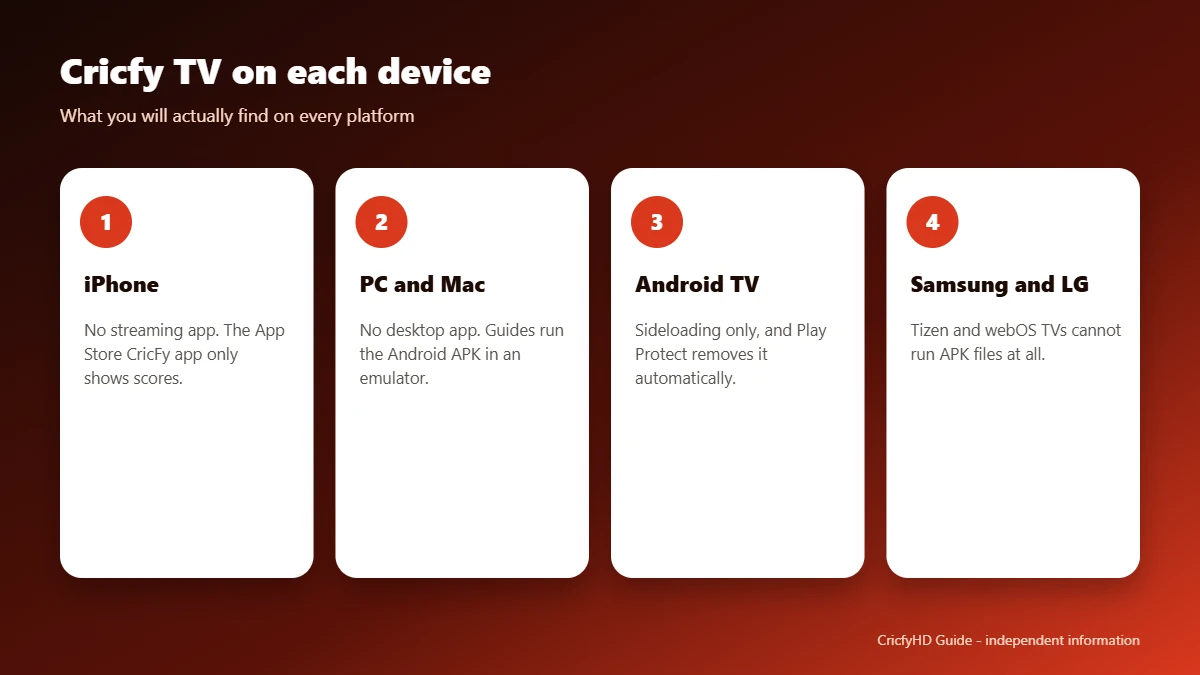
There is no official Cricfy streaming app for iOS. Apple only allows apps through the App Store, and an APK file cannot run on an iPhone. The app you may find on the App Store, “CricFy TV : Live Cricket TV” by Nayan Akbari, is a live score, news and rankings app. It does not stream channels. We explain it in detail in our Cricfy TV live score guide, and cover every iPhone question in Cricfy TV for iPhone (iOS).
Never install a configuration profile to get an app. Some “Cricfy for iOS” pages ask iPhone users to install a profile or complete offers. Profiles from unknown sites can give a third party control over parts of your device. If you installed one, remove it under Settings, General, VPN and Device Management.
Cricfy TV for Windows PC, laptop and Mac
There is no Cricfy TV desktop app. Guides titled “Cricfy TV for PC” or “Cricfy TV for laptop” all follow the same idea: install an Android emulator such as BlueStacks or Nox, then load the same unverified APK inside it. That does not make the app any safer. The emulator is often signed in to your Google account, and the APK still has no store review or verified developer.
The better route on a computer is simple: open the official web player of a licensed service in your browser. Many of the apps in our Cricfy TV alternatives list, including the Pakistani PSL streaming partners, offer web versions. Our full Cricfy TV for PC guide walks through both options step by step.
Cricfy TV on Android TV and Google TV
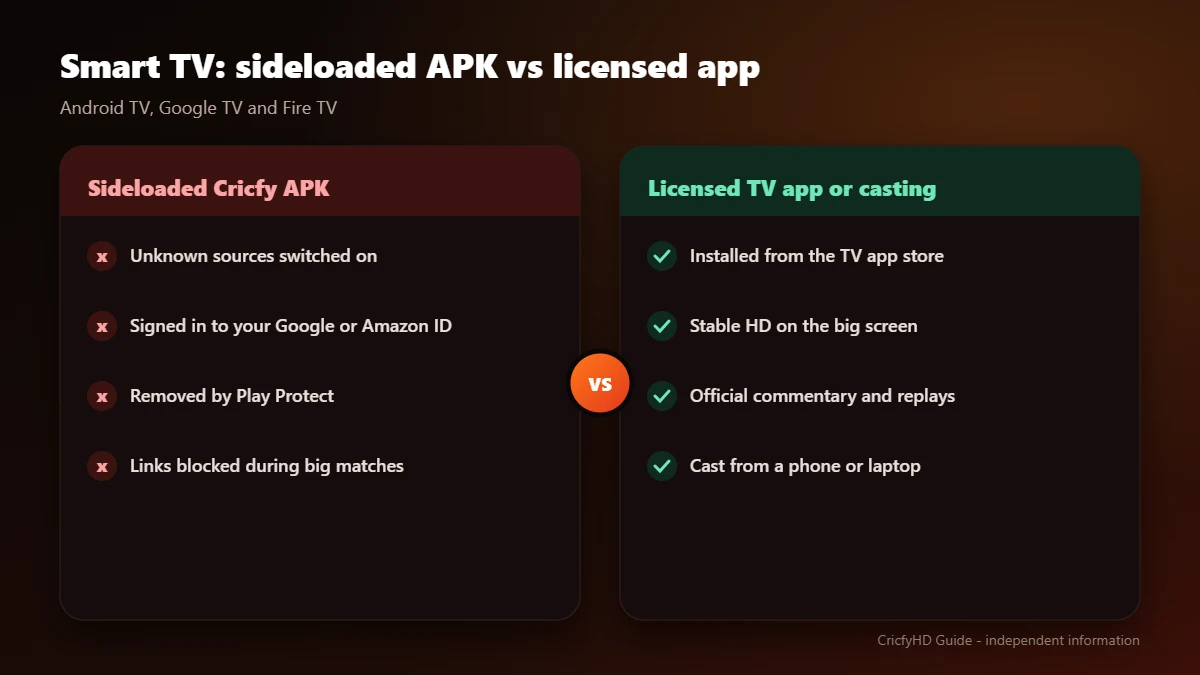
This is where most people have tried Cricfy on a big screen, and where it has run into the most trouble. Since early 2026, Google Play Protect has been automatically uninstalling Cricfy and similar streaming apps from Android TV and Google TV devices. Play Protect removes apps it classifies as potentially harmful, even if they were sideloaded. We explain why turning Play Protect off is a bad idea in our safety review.
Cricfy TV on Amazon Fire TV Stick
Cricfy TV is not in the Amazon Appstore. Fire TV guides rely on sideloading through a downloader app, which means allowing apps from unknown sources on a device that is logged in to your Amazon account. The same security and legal concerns apply.
Samsung and LG smart TVs
Samsung TVs run Tizen and LG TVs run webOS. Neither can install Android APK files, and Cricfy TV is not in their app stores. Pages that promise a “Cricfy TV for Samsung TV” download are usually just copies of the Android guide. Read how to spot fake download pages.
How to watch cricket legally on the big screen
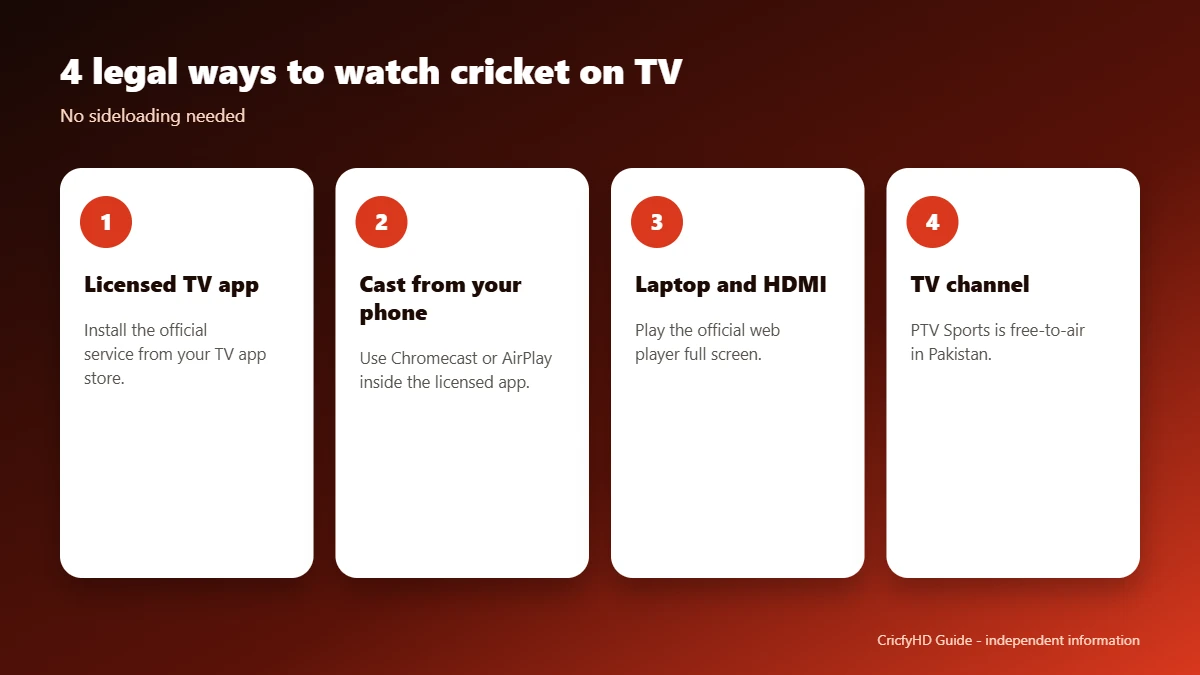
- Use a licensed TV app. Check your TV’s app store for the official streaming service in your country.
- Cast from your phone. If the licensed app supports Chromecast or AirPlay, cast the stream to your TV.
- Use a laptop and HDMI. Open the official web player and connect the laptop to your TV with an HDMI cable.
- Watch the TV channel. In Pakistan, PTV Sports is free-to-air. Cable and DTH packages carry sports channels in most countries.
Not sure which service has the rights? Our country-by-country alternatives list covers Pakistan, India, Bangladesh, the USA, the UK and other regions.
Frequently asked questions
Is Cricfy TV available for iPhone?
No. There is no official Cricfy streaming app for iPhone or iPad. The App Store app named “CricFy TV : Live Cricket TV” is a score and rankings app from a different developer and does not stream TV channels.
Can I install the Cricfy TV APK on an iPhone?
No. APK files only run on Android. Sites offering a “Cricfy iOS version” are either redirecting you elsewhere or asking you to install something you should not trust, such as a configuration profile.
Is there a Cricfy TV app for Windows PC or laptop?
No official desktop app exists. “Cricfy TV for PC” guides use an Android emulator such as BlueStacks to run the same unverified APK, which carries the same security and legal risks.
Does Cricfy TV work on Samsung or LG smart TVs?
Not directly. Samsung (Tizen) and LG (webOS) TVs cannot run Android APK files, and the app is not in their stores.
Why was Cricfy removed from my Android TV?
Google Play Protect has been automatically removing Cricfy from Android TV and Google TV devices since early 2026 because it classifies the app as potentially harmful. Details in our safety review.
How can I watch cricket legally on a smart TV?
Use a licensed service that offers a TV app, a web player or casting, such as the apps in our alternatives guide. You can also connect a laptop with HDMI and use the official web player.